 Redline
Meet Redline
Make drawings that stay connected to the information behind them. Arrange devices, draw connections, and build the sheets you need—all in one place.
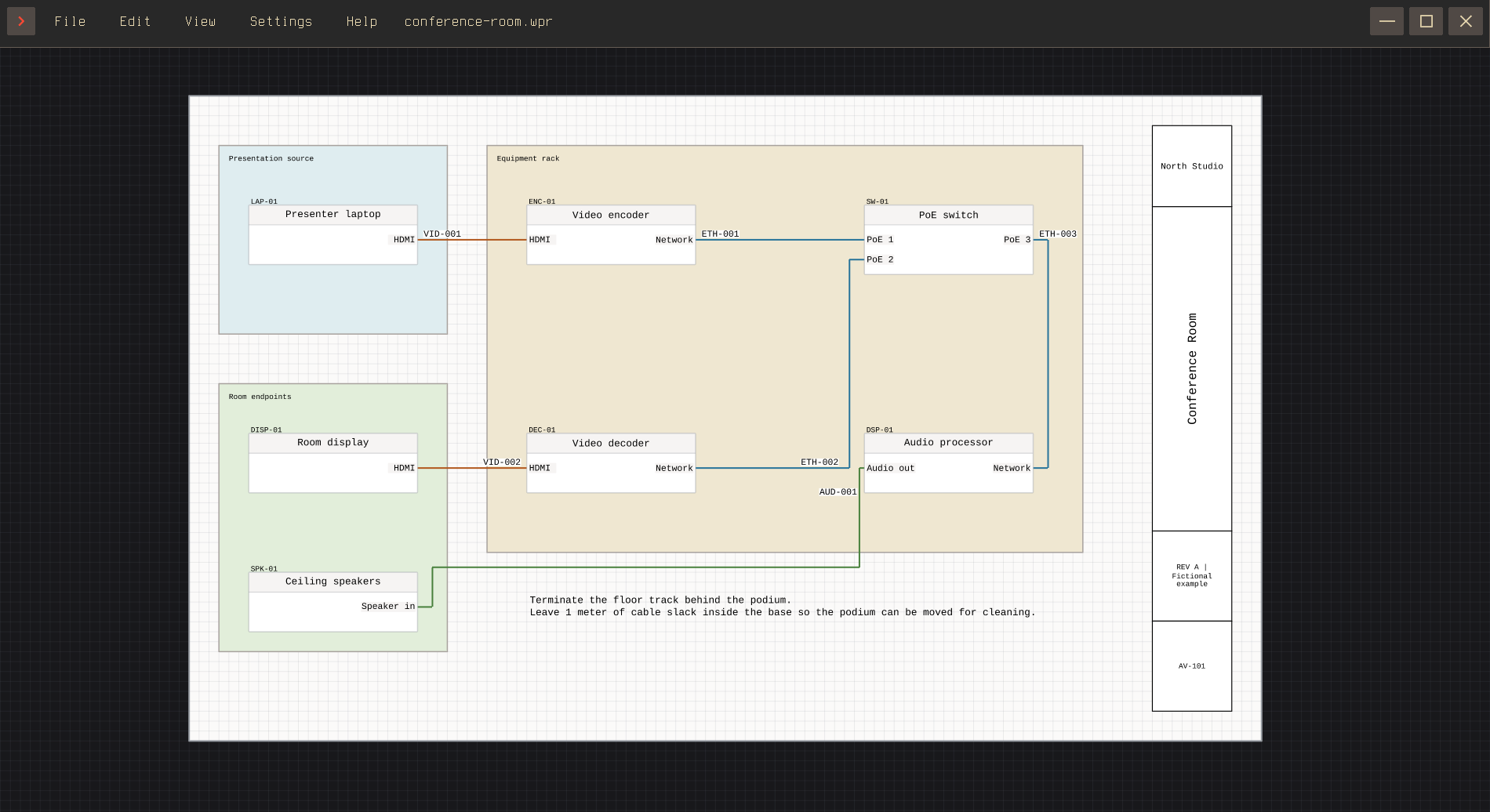
Devices and connections
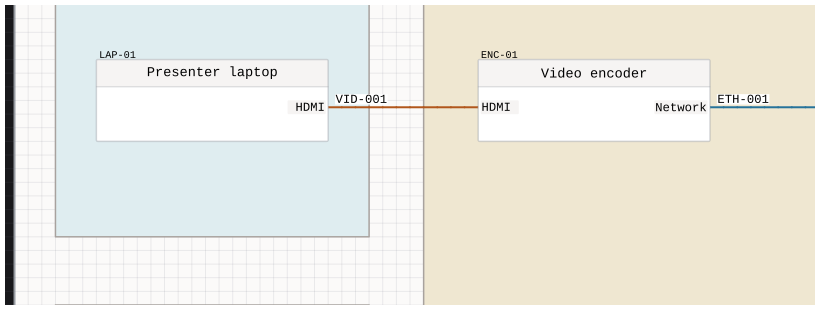
A device appears on the canvas as a node, with ports along its sides. Connect two ports to draw a cable between them. Redline calls that connection an edge. Moving a device updates its routes.
Select an item to edit it in Inspector. With nothing selected, the inspector offers tools for adding devices, annotations, tables, and pages. Working on the canvas covers selecting, moving, and navigating.
Labels and IDs
A label appears on the drawing beside its device, port, or cable. Add an ID when you need an identifier, and use subtext for additional detail.
Summary: Nodes brings that information into editable lists. Labels, IDs, and subtext explains labels and IDs; Summary: Edge covers cable numbering.
One device, several views
The same device can appear multiple times in a document. Its different views share device information, but each has its own position, size, and port layout. A small 1/2 or 2/2 marker identifies the views of a shared device.
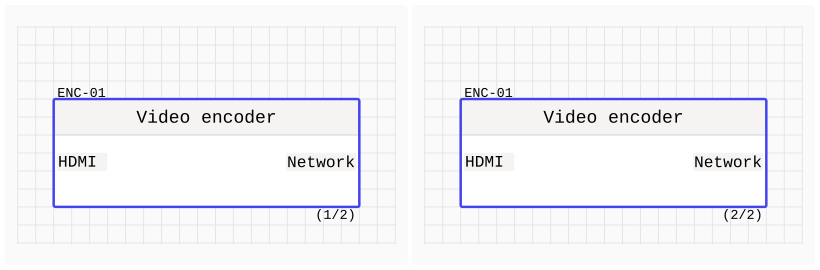
See Devices and ports for devices and ports, or Reusable blueprints for reusable pieces of a drawing.
Generate tables
Use a table to show information from your drawing. Start with a preset such as the cable schedule, then choose the rows and columns you need.
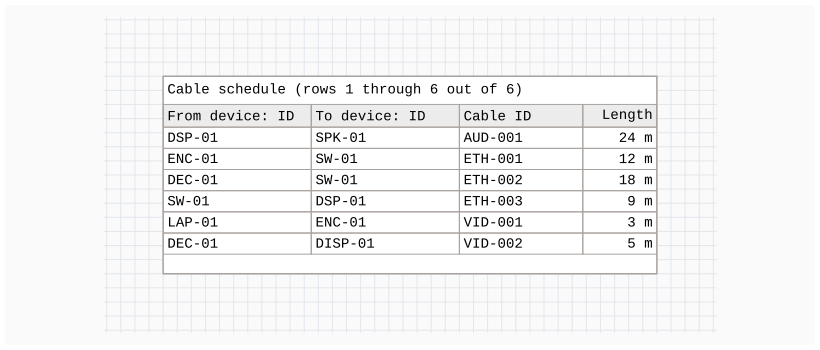
See Generated project tables to make your own tables.
From canvas to document
- To set up your page sizes and density: Pages and drawing scale
- For customizing the frontmatter: Frontmatter and title blocks
- Exporting the document
For layout ideas and ways to combine these features, see Suggestions.