 Redline
Summary: Nodes
Summary: Nodes lists physical devices with an editor and preview alongside. Find equipment, compare IDs, or edit shared information in one place.
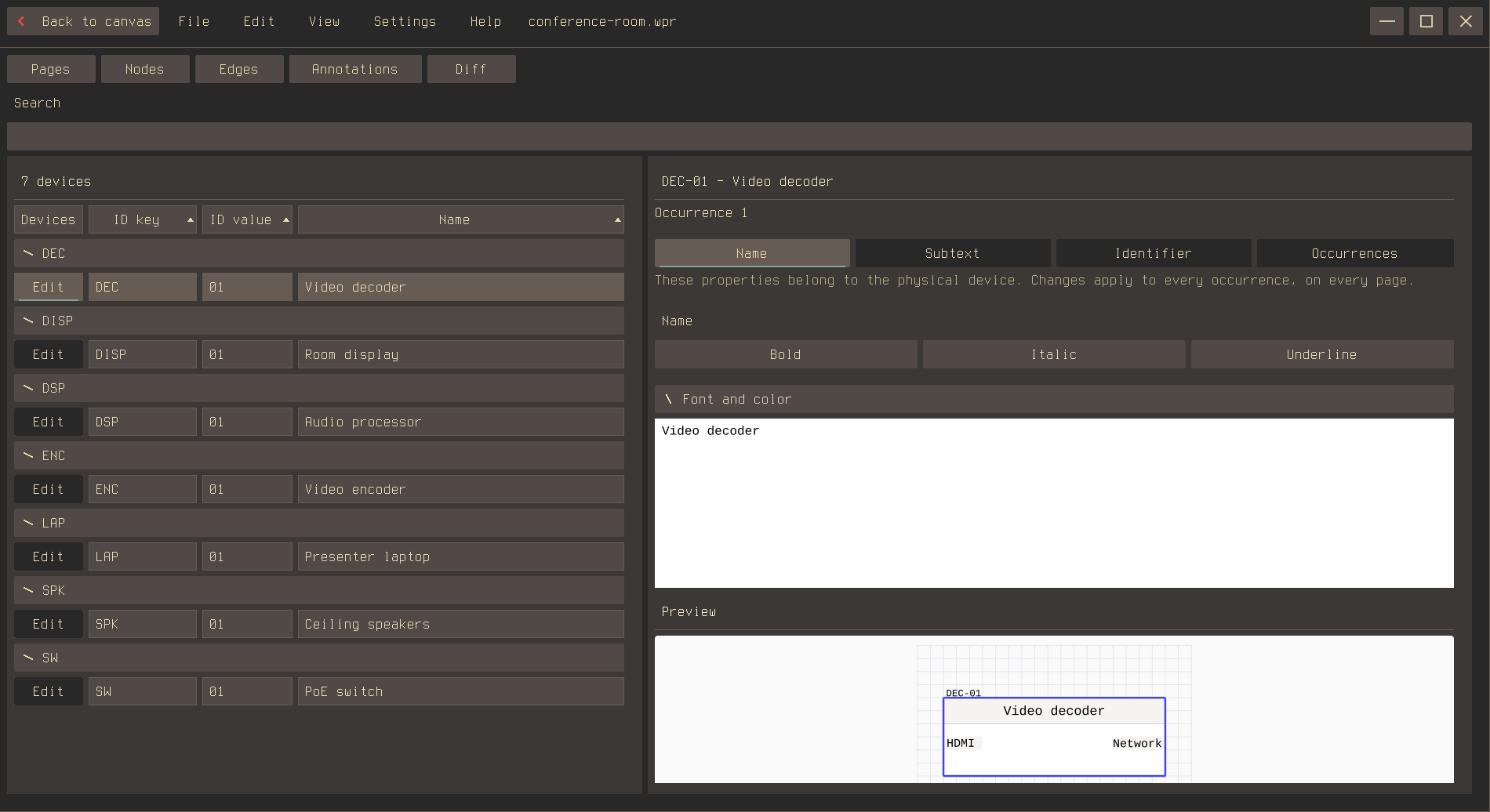
Find the equipment
Open Summary: Nodes or use M. Search for a device ID, label, subtext, or location. Nodes are grouped by ID key, with blank keys under Unassigned. Collapse groups or sort columns to narrow the list. Sorting here does not change the cable numbering sequence.
Edit shared device information
Choose Edit beside a device, then use Name, Subtext, or Identifier in the right-hand panel. Identifier has separate controls for the key, value, and separator. Edits update every view of the device.
Read Devices and ports for shared devices and ports, and Labels, IDs, and subtext for the parts of an ID.
Find and order drawing occurrences
Open Occurrences in the device's editor to find its views by page and location. Earlier and Later change their order without moving them or renumbering cables. Select a preview or Focus to return to that view on the canvas with the Inspector open.
The other Summary views
Summary: Edge covers cable numbering; Cable labels and appearance covers labels, colors, and lengths. Summary: Annotations helps find notes and generated tables. Summary: Diff explains reviewing changes since the saved baseline.
Summary: Pages brings together document order, page IDs, titles, and frontmatter fields. Its workflow is described in Pages and drawing scale and Frontmatter and title blocks.