 Redline
Labels, IDs, and subtext
A label names or describes an item. For a device, it might be the model name; for a port, the connector type. An ID identifies the item within your drawing, such as SW-01 for a switch or ETH-001 for a cable.
IDs are text, not a link between objects. Two devices can have the same ID without sharing their information. See Devices and ports for multiple views of one physical device.
How an ID is built
Redline calls a structured ID a slug. SW-01 has the key SW, the separator -, and the value 01. These parts are edited separately, so you can use another convention such as SW/01.

Cable IDs can be assigned together using Summary: Edge. A cable can also have a label; when both are shown, a colon separates the label from its ID.
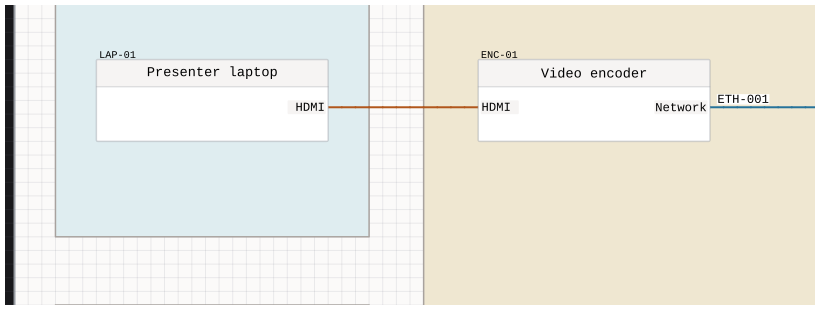
Subtext
Subtext adds another line of information. On a device it appears at the top-right; on a cable it normally appears below the label and ID. Cable subtext can also be positioned independently.
Editing information
Use Inspector for selected items, or Summary: Nodes to work across the drawing. Device and port information is shared by all views of the same physical item.