Redline

文本注释、绘制背景对象和生成的表格

注释是一个独立的文本对象。在未选中任何内容的情况下,使用创建控件创建一个新的注释。面板 Inspector 提供了这些控制选项。创建注释后,请设置其文本、大小、背景和边框。
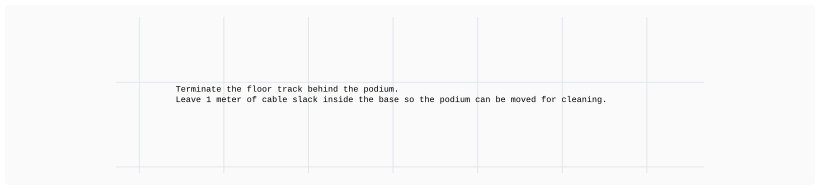
The project annotation says to terminate the floor track behind the podium and leave one meter of cable slack inside the base so the podium can be moved for cleaning.

您可以通过将注释背景色的不透明度(alpha)设置为 0 来移除其可见背景。

背景是视觉分组

背景有助于将大页面划分为较小的部分。它渲染在绘图的其他部分(包括节点和图像)的后面。
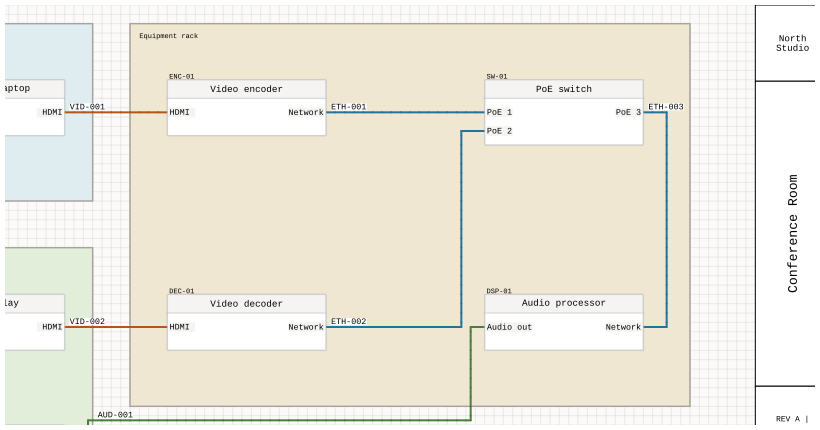
An Equipment rack background groups the video encoder, PoE switch, video decoder, and audio processor without changing their connections.

生成的项目表格

注释还可以显示包含页面信息、设备视图或线缆的动态表格。该表格会随项目变更而更新,而非保留其行内容的粘贴副本。参见 生成的项目表格 关于数据源、框架尺寸以及跨工作表延续表格的内容。